01. Introduction to Webpack
Introduction to webpack Heading
Getting Started with Webpack
The webpack documentation describes itself this way:
At its core, webpack is a static module bundler for modern JavaScript applications.
But…what does that really mean?
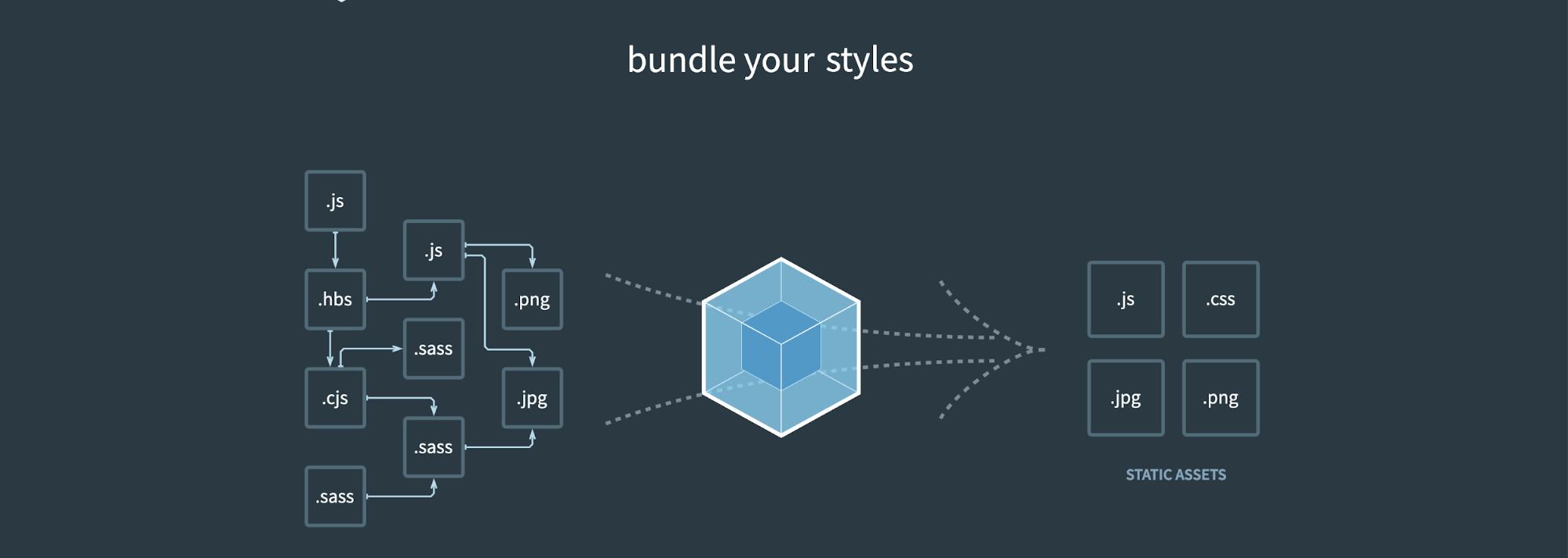
This image from the Webpack website is a good visual.
Introduction to webpack Graphic
Webpack Intro Continued
The idea here is that on the left you have all the various asset file formats you will probably come across in a project. You might not recognize all the extensions, but just imagine that these are all your images, stylesheets, javascripts and more.
Webpack takes all the assets on the left and “bundles” or combines them into fewer files that are much easier to manage. Notice that multiple .js files on the left became one .js file on the right - that’s because the two files were combined into one large .js file.
FEND C04 L02 A01 Intro To Webpack
Quiz
SOLUTION:
- All of the above could be done with webpack
FEND C04 L2 Question 1
Interview Question
QUESTION: Interview Question
Tell us how you have addressed an issue caused by conflicting asset files (or if you haven't experienced this first hand, tell us about a situation where this could happen). Examples could be styles conflicting with a third party stylesheet, or a bug caused by the order of javascript files.
ANSWER:
When you get questions like “”tell us how you addressed an issue where” or “explain when you used [x]” in an interview, people often feel like they don’t have a valid answer unless they have worked on a project where they actually did those things. But feel free to answer with things you have learned to do.